Quick Answer
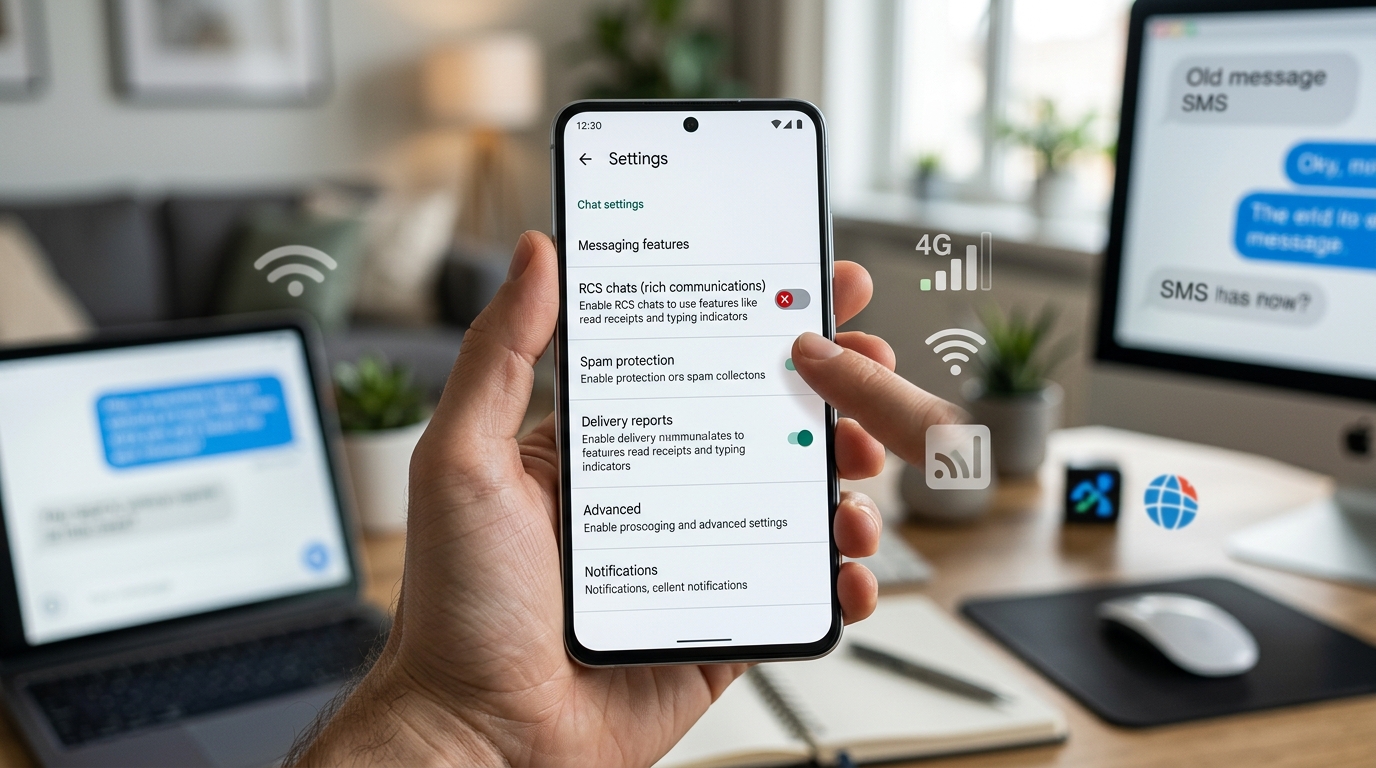
To turn off RCS messages, open your Google Messages app, go to profile picture → Messages settings → RCS chats, then turn off Turn on RCS chats. The exact wording can vary slightly depending on your phone and Android version.
Top alternatives: how to disable RCS messages, how to turn off RCS chat, disable RCS on Android, turn off RCS messaging, how to stop RCS messages
Want to turn off RCS messages because your texts aren’t behaving the way you want? Maybe you’re switching phones, having trouble sending messages, or simply prefer regular SMS and MMS. Whatever the reason, disabling RCS is usually pretty simple. RCS, or Rich Communication Services, adds features like read receipts, typing indicators, high-quality media sharing, and better group messaging to supported conversations. But sometimes those extra features can cause confusion, especially when you’re changing devices or moving between messaging apps. The good news is that you don’t need to be a tech wizard to switch RCS off. In this guide, you’ll learn how to turn off RCS message features on Android, what happens after you disable them, and what to do if the option isn’t showing up. Let’s get your messages back to doing their thing without the extra fuss.
What Is RCS Messaging?
RCS stands for Rich Communication Services.
It’s a modern messaging standard that adds features to traditional text messaging.
Depending on your phone, carrier, and messaging app, RCS can offer:
- Read receipts
- Typing indicators
- High-quality photos
- Better video sharing
- Larger messages
- Better group chats
- Wi-Fi messaging
- Mobile data messaging
Google Messages commonly calls these features RCS chats.
How to Turn Off RCS Messages on Android
If you’re using Google Messages, follow these steps:
- Open Google Messages.
- Tap your profile picture or initials.
- Tap Messages settings.
- Select RCS chats.
- Turn off Turn on RCS chats.
- Confirm the change if your phone asks you to.
After RCS is disabled, supported conversations can fall back to standard SMS or MMS.
How to Turn Off RCS on Google Messages
The quickest path is:
Google Messages → Profile Picture → Messages Settings → RCS Chats → Turn Off RCS Chats
On some versions of Google Messages, the menu may look slightly different.
If you don’t see RCS chats, look for wording related to:
- Chat features
- RCS
- Rich Communication Services
How to Turn Off RCS Before Changing Phones
This is especially important if you’re switching from one phone to another.
Before moving to a new device, consider turning off RCS on your old phone.
Why?
Your phone number may remain associated with RCS for a period of time.
That can sometimes cause messaging problems after you move to a different device or messaging platform.
A simple approach is:
Old phone → Google Messages → Settings → RCS chats → Turn off
Then move your SIM or activate your number on the new device.
How to Turn Off RCS Without Your Old Phone
If you no longer have access to your old phone, you may still be able to deactivate RCS remotely.
Google provides a web-based method for temporarily deactivating RCS when you don’t have access to the device that was using it.
This can be useful if:
- Your phone was lost
- Your phone was stolen
- You traded in your phone
- Your old phone stopped working
- You already switched to another device
If RCS remains associated with your number, use Google’s official RCS deactivation process.
What Happens When You Turn Off RCS?
Turning off RCS doesn’t delete your regular text messages.
Instead, you lose RCS-specific features for conversations that rely on them.
You may no longer have:
- Read receipts
- Typing indicators
- High-quality RCS media sharing
- Some advanced group chat features
- RCS delivery indicators
Your messages can instead use SMS or MMS when available.
Will My Messages Still Work After Turning Off RCS?
Yes, standard SMS and MMS can still work if your phone and carrier support them.
The experience may change, though.
For example, a photo that previously sent through RCS may be sent as MMS instead.
That can affect:
- Image quality
- Message size
- Data usage
- Group messaging
Does Turning Off RCS Delete Messages?
No.
Turning off RCS doesn’t normally delete your existing conversations.
Your previous messages should remain in your messaging app.
However, message history can depend on your phone, app, backups, and migration process.
Does Turning Off RCS Remove Read Receipts?
RCS read receipts are part of RCS functionality.
When you disable RCS, you won’t use RCS read receipts in the same way.
The exact experience can depend on the messaging app and the type of conversation.
Does Turning Off RCS Stop Typing Indicators?
RCS can show typing indicators when supported.
When you switch to SMS or MMS, those RCS features aren’t available in the same way.
So the person you’re texting may no longer see you typing.
Can You Turn RCS Back On?
Yes.
If you change your mind, you can generally return to:
Google Messages → Messages Settings → RCS Chats
Then turn RCS back on.
Your availability and settings may depend on your device, carrier, and messaging service.
How to Turn Off RCS on Samsung Phones
Samsung phones can use different messaging apps and settings depending on the model and software version.
If you’re using Google Messages:
Google Messages → Profile Picture → Messages Settings → RCS Chats
If you’re using Samsung Messages, the available RCS settings may appear under messaging settings or chat settings.
The exact menu can vary by device and software version.
How to Turn Off RCS on Android 15
Android versions can have slightly different menus, but RCS settings are usually controlled through the messaging app rather than the main Android settings.
If you’re using Google Messages, start inside the app.
Look for:
Profile Picture → Messages Settings → RCS Chats
How to Turn Off RCS on Android 16
If you’re using Google Messages on Android 16, the RCS setting is still generally managed from the Google Messages settings.
Open the app and check:
Profile Picture → Messages Settings → RCS Chats
If the menu doesn’t appear, make sure Google Messages is updated.
How to Turn Off RCS for One Contact
RCS is generally controlled as a messaging service rather than something you simply disable for one individual contact.
If you want to communicate with someone using SMS instead, the available options depend on your messaging app and carrier.
Turning off RCS entirely is the most straightforward option when you don’t want to use the service.
How to Turn Off RCS Group Chats
If a group conversation is using RCS, disabling RCS can change how your phone handles the group conversation.
Depending on the participants and messaging services involved, the conversation may switch to MMS or another supported messaging method.
Group messaging behavior can vary by carrier and app.
Why Turn Off RCS Messages?
People disable RCS for several reasons.
Common examples include:
- Switching phones
- Changing carriers
- Messaging problems
- RCS activation issues
- Privacy preferences
- Compatibility problems
- Using another messaging service
- Wanting standard SMS and MMS
Sometimes the simplest solution really is the simplest one.
RCS vs SMS
RCS and SMS are different messaging technologies.
| RCS | SMS |
|---|---|
| Modern messaging standard | Traditional text messaging |
| Can support read receipts | No standard read receipts |
| Typing indicators | No typing indicators |
| Better media support | More limited media |
| Uses mobile data or Wi-Fi | Uses cellular messaging |
| Requires supported services | Broad carrier support |
RCS generally provides a richer messaging experience.
SMS is older but remains widely supported.
RCS vs MMS
MMS is traditionally used for multimedia messages such as pictures and group texts.
RCS can provide a more modern experience with:
- Better media quality
- Typing indicators
- Read receipts
- Improved group conversations
If RCS is disabled, some multimedia messages may use MMS instead.
RCS and Mobile Data
RCS messages can use mobile data or Wi-Fi rather than traditional SMS infrastructure.
That’s one reason RCS can offer features that standard SMS doesn’t.
If you disable RCS, your phone may rely more heavily on SMS and MMS for supported conversations.
RCS and Wi-Fi
RCS can work over Wi-Fi when supported by your messaging service.
This can be useful when cellular connectivity is limited but internet access is available.
Traditional SMS works differently and normally relies on your cellular network.
What If the RCS Option Is Missing?
If you can’t find RCS settings, try these steps:
- Update Google Messages.
- Make sure Google Messages is your default messaging app.
- Restart your phone.
- Check your internet connection.
- Look for Chat features instead of RCS chats.
- Check whether your carrier supports RCS.
- Open the messaging app settings again.
The wording can change between app versions.
What If RCS Won’t Turn Off?
If the toggle doesn’t respond, try:
- Restarting the phone
- Updating Google Messages
- Checking your internet connection
- Clearing the app cache
- Waiting a short time and checking again
- Checking your Google Messages account settings
If you’re switching phones, make sure RCS is disabled on the old device when possible.
Why Is RCS Still Showing After Turning It Off?
Sometimes the change may not appear immediately.
Your app may need time to update the status.
Try:
- Close Google Messages.
- Restart your phone.
- Reopen Messages.
- Check RCS settings again.
If your number still appears associated with RCS, use the official deactivation process provided by Google.
Does Turning Off RCS Affect iPhone Users?
If you’re texting an iPhone user, the messaging experience depends on the devices, operating systems, carrier support, and messaging standards involved.
Turning off RCS on your Android phone means your device won’t use RCS for those supported conversations.
The conversation may instead use another available messaging method.
Should You Turn Off RCS Before Switching to iPhone?
If you’re moving from Android to iPhone, disabling RCS before switching can help avoid messaging issues.
It’s a good idea to:
- Turn off RCS on your Android phone.
- Move your phone number to the iPhone.
- Test regular messages.
- Ask someone to send you a text.
- Confirm everything works normally.
If you no longer have your Android phone, use Google’s official RCS deactivation option.
How to Check If RCS Is Turned Off
Open Google Messages and go to:
Profile Picture → Messages Settings → RCS Chats
If Turn on RCS chats is switched off, RCS is disabled on that device.
The exact wording may vary depending on your app version.
Does RCS Use Mobile Data?
Yes, RCS messages can use mobile data or Wi-Fi.
That differs from traditional SMS, which normally uses your carrier’s cellular messaging service.
Your carrier’s policies can affect how RCS connectivity works.
Is RCS Free?
RCS itself doesn’t generally work like a separate per-message paid service.
It uses internet connectivity, so normal mobile data or Wi-Fi considerations may apply.
Carrier policies can vary.
Is RCS Safe?
RCS security depends on the messaging service, conversation type, and implementation.
Some supported RCS conversations can provide end-to-end encryption, while availability and encryption status can vary.
If privacy is your main reason for disabling RCS, check the security features available in your specific messaging app.
RCS Troubleshooting Checklist
If you’re having messaging problems, check:
- RCS is enabled or disabled as intended
- Google Messages is updated
- Your phone has internet access
- Your SIM is active
- Google Messages is the default SMS app
- Your carrier supports the required messaging features
- Your phone number is correct
- Your device has been restarted
Common Mistakes When Turning Off RCS
Turning It Off on the Wrong Phone
If you’ve already switched devices, disabling RCS on the new phone may not disconnect the old device’s registration.
Forgetting the Old Phone
If you’re moving to a new phone, check the old device first.
Assuming RCS Is the Same as SMS
RCS and SMS are different services.
Turning off RCS doesn’t turn off texting altogether.
Expecting All Features to Stay
Features such as typing indicators and read receipts may disappear when you switch away from RCS.
When Should You Keep RCS On?
You may want to keep RCS enabled if you like:
- Read receipts
- Typing indicators
- Better photo quality
- Better group chats
- Wi-Fi messaging
- Rich messaging features
If everything works well, there’s usually no need to disable it.
When Should You Turn RCS Off?
Turning it off may make sense if you’re:
- Switching phones
- Moving to another messaging platform
- Troubleshooting RCS
- Experiencing compatibility issues
- Having activation problems
- Preparing to switch from Android to another device
FAQs
What does RCS mean in messages?
RCS stands for Rich Communication Services. It adds modern features to traditional messaging.
How do I turn off RCS messages?
Open Google Messages, go to Profile Picture → Messages Settings → RCS Chats, then turn off RCS chats.
Will turning off RCS delete my messages?
No. Turning off RCS doesn’t normally delete your existing message history.
Can I still send texts after turning off RCS?
Yes. Your phone can use SMS or MMS when those services are available.
Will people know I turned off RCS?
They may notice that RCS features such as typing indicators or read receipts are no longer available.
Should I turn off RCS before changing phones?
If you’re switching devices, especially when moving away from Android, disabling RCS on your old phone can help prevent messaging problems.
Can I turn RCS back on?
Yes. You can usually return to the RCS settings in Google Messages and enable it again.
Why can’t I find RCS settings?
The option may be labeled differently, such as Chat features, or your messaging app, carrier, or device may not support RCS.
Does RCS use Wi-Fi?
Yes. RCS can use Wi-Fi or mobile data when supported.
Is RCS better than SMS?
RCS offers more features, but SMS has broader compatibility and works differently. Which one is better depends on what you need.
Conclusion
Turning off RCS messages is usually a quick process, especially if you’re using Google Messages. Just open the app, head to Messages Settings, find RCS Chats, and switch the feature off. If you’re changing phones, it’s worth checking your old device before making the move because RCS registration can sometimes cause messaging headaches later. Keep in mind that disabling RCS doesn’t stop texting altogether. Your phone can still use SMS and MMS when available, but features such as typing indicators and read receipts may no longer work. If RCS has been causing problems, these steps can help you get your messages back to a simpler setup. Save this guide so you’ve got it handy when you need it.